What is Azure Subscription ?
A Windows Azure subscription grants you access to Windows Azure services,resources Monitoring services etc and provide you the access to manage the subscription, billing, usage, administration work in both the portals. (ASM & ARM).
How to Create the Free Azure subscription.
1:-Go to https://account.windowsazure.com/Subscriptions. Use your admin account Window Live ID for authorization.
What is live ID: Live it is Microsoft E-mail id which contain the domain Name like username@Hotmail,@outlook.com,@live.com etc
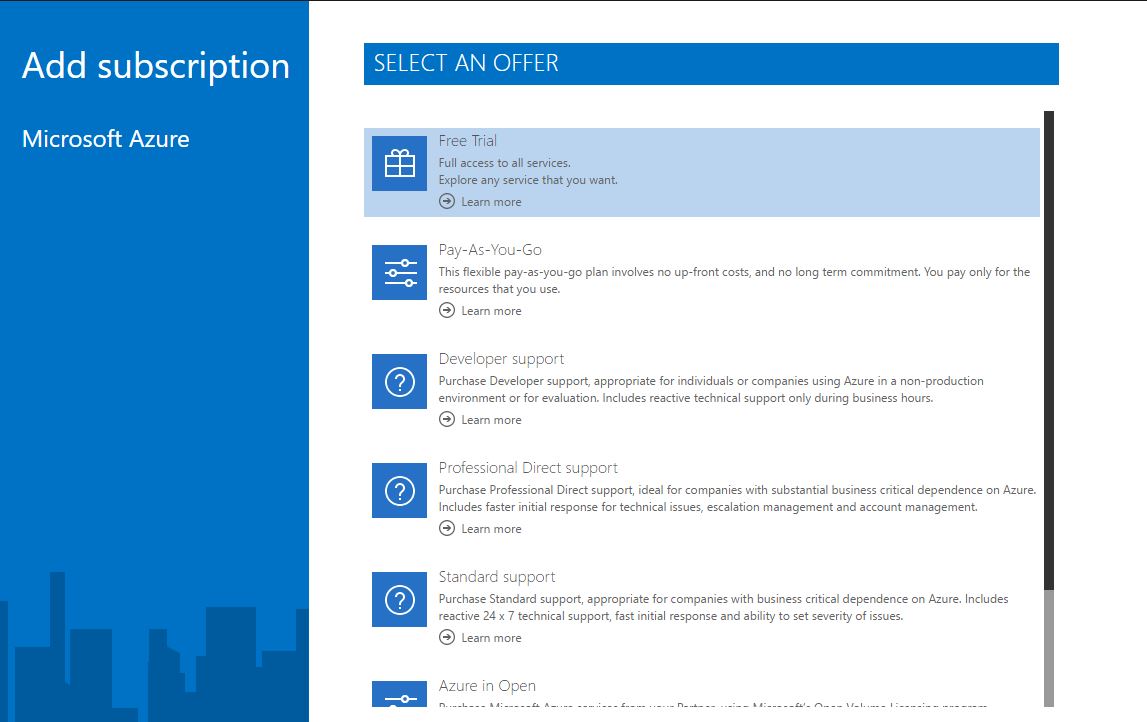
2: You will find following screen with list of active subscriptions. To add a new subscription Click on “+ add subscription” button available at the bottom.
AdD the subscription according to your Organization or if it for personal user then select according to your usage (Free trail). Please find the below support plan.
- Free trail
- Pay As you GO
- Developer Support
- Professional Direct Support
- Standard Support
- Azure n open etc
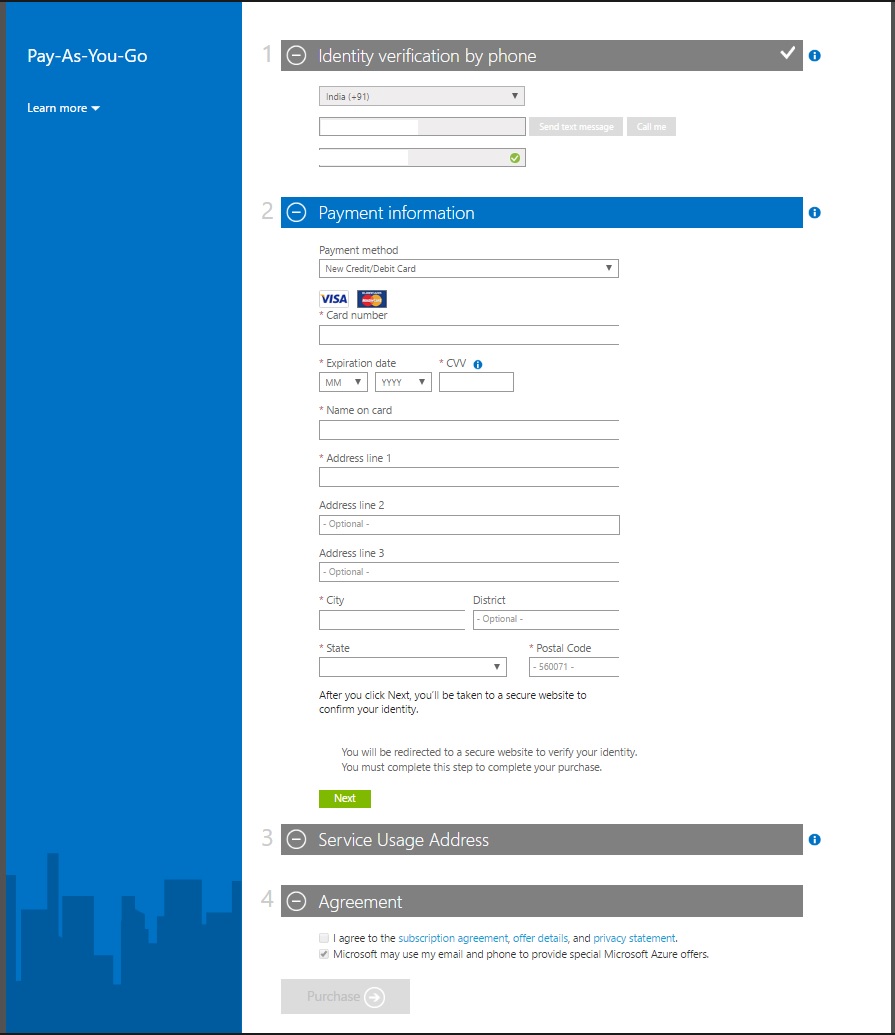
Please provide your below Require Details.
- Name
- Address
- Phone Number
- Verification code
- Credit card information.
- Office address
- in Click on agree the lincences and agreements.
- Click on purchase .
It will take 10-15 minutes to Make ready the Azure subscription for you.
Once the subrication is ready Please login to
1: https://manage.windowsazure.com for ASM portal.
2: https://portal.azure.com for ARM portal.


 Azure4you By Lalit Rawat
Leave a reply to Ashish Cancel reply