
Security and compliance are essential for organizations operating in the cloud. Microsoft Azure provides robust tools to protect data, prevent cyber threats, and meet industry regulations.
In this blog, we will cover:
- Implementing Azure Security Center for Threat Management
- Compliance in Azure: Meeting Industry Standards
- Zero Trust Architecture with Microsoft Entra ID and Azure
- Step-by-Step Guide to Strengthening Security in Azure
- Implementing Azure Security Center for Threat Management
Azure Security Center is a cloud security service that helps organizations protect their infrastructure by offering:
- Threat Detection & Response – Alerts for suspicious activities.
- Security Recommendations – Suggestions to improve security posture.
- Compliance Management – Ensures adherence to security standards.
Step-by-Step Guide to Using Azure Security Center
Enable Azure Security Center:
- Sign in to the Azure portal.
- Search for Microsoft Defender for Cloud (formerly Security Center).
- Click Enable Defender Plans to activate security monitoring.

Review Security Score:
- In Microsoft Defender for Cloud, go to Secure Score.
- Review the recommended actions and implement them to improve security.

Enable Defender for Cloud Protection:
- Navigate to Defender Plans.
- Enable Defender for Servers, Defender for Storage, and Defender for SQL to enhance protection.
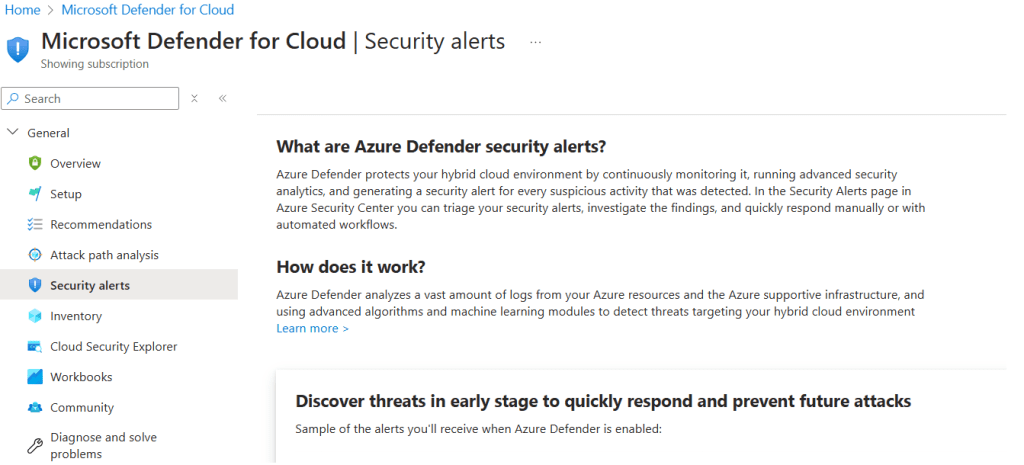
Set Up Alerts & Automation:
- Go to Security Alerts and configure email notifications.
- Use Logic Apps to automate responses for security incidents.
- Compliance in Azure: Meeting Industry Standards
Azure provides built-in tools to help businesses comply with regulations such as:
- ISO 27001 – International security standard.
- GDPR – Protects personal data for EU citizens.
- HIPAA – Ensures healthcare data security.
- SOC 2 – Focuses on security, availability, and privacy.
Step-by-Step Guide to Azure Compliance Management
Use Microsoft Purview Compliance Manager:
- Open Microsoft Purview Compliance Manager in the Azure portal.
- Select a compliance framework (ISO, GDPR, HIPAA, etc.).
- Follow recommendations to improve compliance posture.

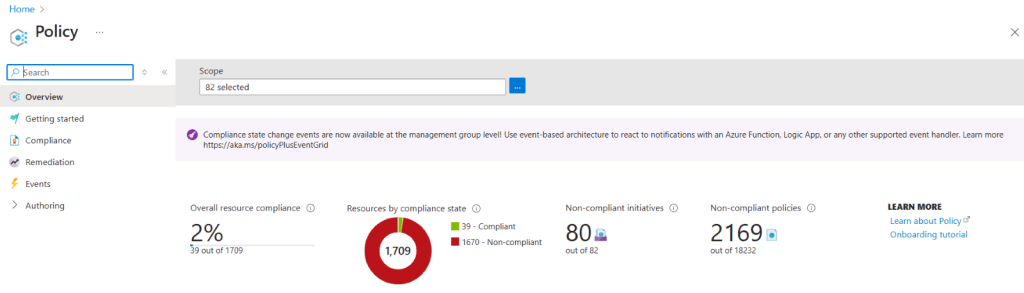
Define and Enforce Compliance Policies with Azure Policy:
- Navigate to Azure Policy in the Azure portal.
- Create policy definitions (e.g., require encryption for all storage accounts).
- Assign policies to subscriptions, resource groups, or resources.
Deploy Compliance Templates with Azure Blueprints:
- Go to Azure Blueprints.
- Select a pre-defined compliance blueprint (e.g., NIST, PCI-DSS).
- Apply the blueprint to your Azure environment.

- Zero Trust Architecture with Microsoft Entra ID and Azure
Zero Trust assumes no user or device should be trusted by default, even within the corporate network. Azure enables Zero Trust through:
- Microsoft Entra ID (formerly Azure AD) for identity management.
- Multi-Factor Authentication (MFA) to verify users.
- Role-Based Access Control (RBAC) to limit permissions.
- Microsoft Defender for Cloud for continuous monitoring.
Step-by-Step Guide to Implementing Zero Trust in Azure
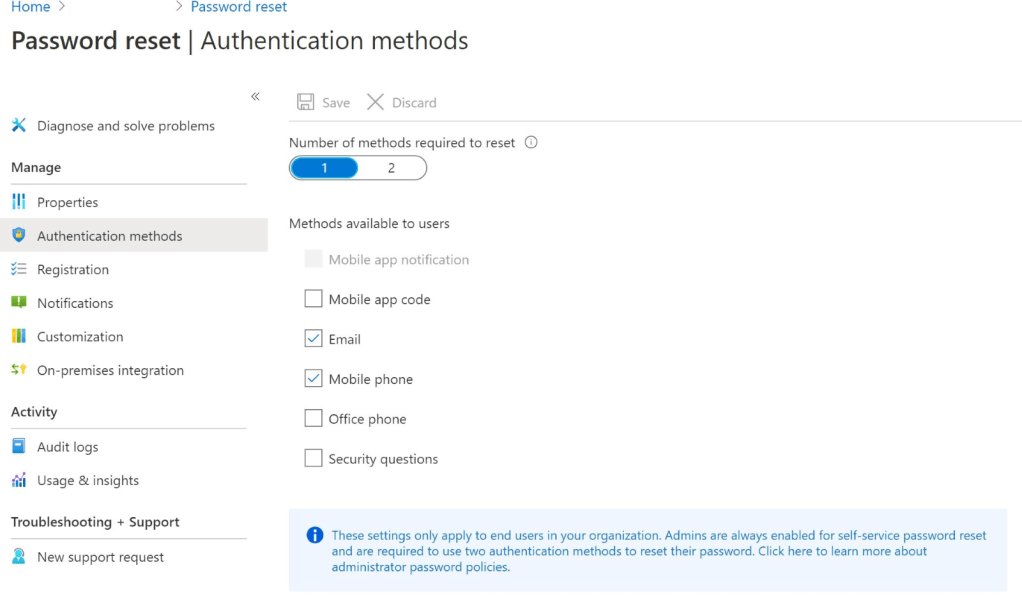
Enable Multi-Factor Authentication (MFA):
- Go to Microsoft Entra ID in the Azure portal.
- Navigate to Security > Conditional Access.
- Create a policy that enforces MFA for all users.
Implement Conditional Access Policies:
- In Conditional Access, define rules such as:
- Block access from risky locations.
- Require MFA for sign-ins from unknown devices.
- Enforce compliance checks for mobile and desktop devices.

Set Up Role-Based Access Control (RBAC):
- Go to Access Control (IAM) in the Azure portal.
- Assign users the least privileged role necessary for their work.
- Regularly audit access permissions.

Use Microsoft Defender for Cloud for Continuous Monitoring:
- Enable Defender for Cloud to detect potential threats.
- Set up alerts for unusual sign-ins and privilege escalations.
Final Thoughts
Securing your cloud environment requires a proactive approach. By leveraging Azure Security Center, compliance tools, and Zero Trust principles, organizations can:
- Detect and respond to cyber threats in real-time.
- Meet industry compliance standards with built-in Azure tools.
- Reduce security risks with a Zero Trust approach.
Author: Prabhat, is a seasoned IT professional, boasting over a decade of experience in the field of Operations and Infrastructure Support. His expertise spans across Azure Cloud and Windows on-premise platforms. A fervent enthusiast of Azure, he backs up his passion with a wealth of knowledge underlined by multiple Azure certifications.
 Azure4you By Lalit Rawat
Leave a comment