In this blog, I have outlined detailed step-by-step guide to implement Azure AD B2C. This service from Azure offers robust identity management for customer-facing applications, facilitating secure user registration and login through preferred social or enterprise accounts.
Problem Statement:
Companies often struggle with managing user identities and access in customer-facing applications while still providing a smooth user experience. This becomes even more critical when the number of users is large and rapidly expanding. The challenge lies in safeguarding customer data and identity while enabling user-friendly features like social logins, seamless multi-platform access, and scalable identity management. Many businesses also strive to integrate multi-factor authentication and self-service password reset features without encumbering the customer experience. This is a problem for which Azure AD B2C could serve as an effective solution.
Solution:
Azure AD B2C: This feature enables to handle the identities of individual customers using your public facing business applications. The users here are external but instead of belonging to one organization, they are individuals using the application or service you offer to the general public.
Basically, these are applications from your organization that’s targeted for general users.

Azure AD B2C
Technical Details and Implementation of solution:
Azure B2C works by letting the user sign-up using email, or a third-party identity provider of their choice. Editing their own profiles, resetting passwords and deleting their accounts if they wish to. You can choose exactly which fields are required to represent a user profile. So the control you get is quite granular. The best part is, it easily scales to millions of users. And you don’t have to worry about those millions of users inadvertently accessing your corporate resources, because your internal users’ directory and the B2C directory are entirely isolated, not connected in any way. And the B2C feature works with all types of applications, desktop, web, mobile and single-page applications.
Example: Consider a retail company, StoreX, which has an e-commerce platform supporting multiple applications including a web app, a mobile app, and a few third-party applications. As the customer base of StoreX grows, they encounter challenges in managing user identities, maintaining security, and ensuring a seamless login and user experience.
StoreX decides to integrate Azure AD B2C into their platform. Now, when a customer creates an account or logs into an application, they are interacting with Azure AD B2C. The customers can sign up using their email addresses or social accounts like Facebook or Google, making the registration process more accessible and straightforward.
Once the customer is registered, Azure AD B2C handles the user authentication for logins. Regardless of how many applications the customer uses, they only need to remember one set of credentials, hence a single identity is created for a user across multiple platforms.
In case of a forgotten password, Azure AD B2C provides secure password reset options. Additionally, it offers multi-factor authentication features for enhanced security.
With Azure AD B2C, StoreX could provide a seamless and secure experience to its customers while minimizing the complexities tied to customer identity management. It also helps StoreX to scale efficiently as their customer base continues to grow.
Step-by-Step process to implement Azure AD B2C:
1. Create an Azure AD B2C tenant:
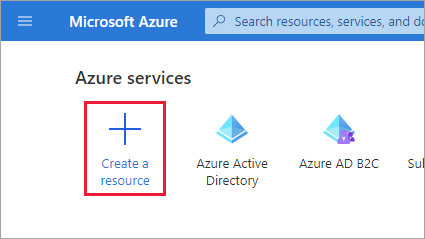
Go to the Azure portal, create a new resource, and select ‘Azure Active Directory B2C’.
2. Link your Azure AD B2C to your subscription:
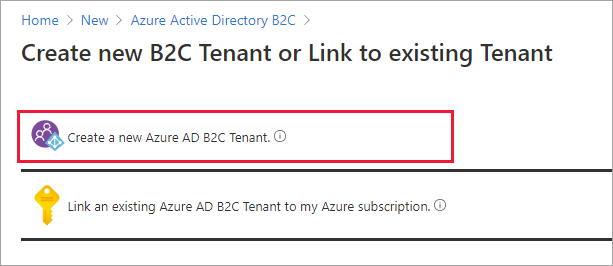
From the B2C tenant overview page, select ‘Create or Link’ to associate it with your subscription.

3. Register an Application:
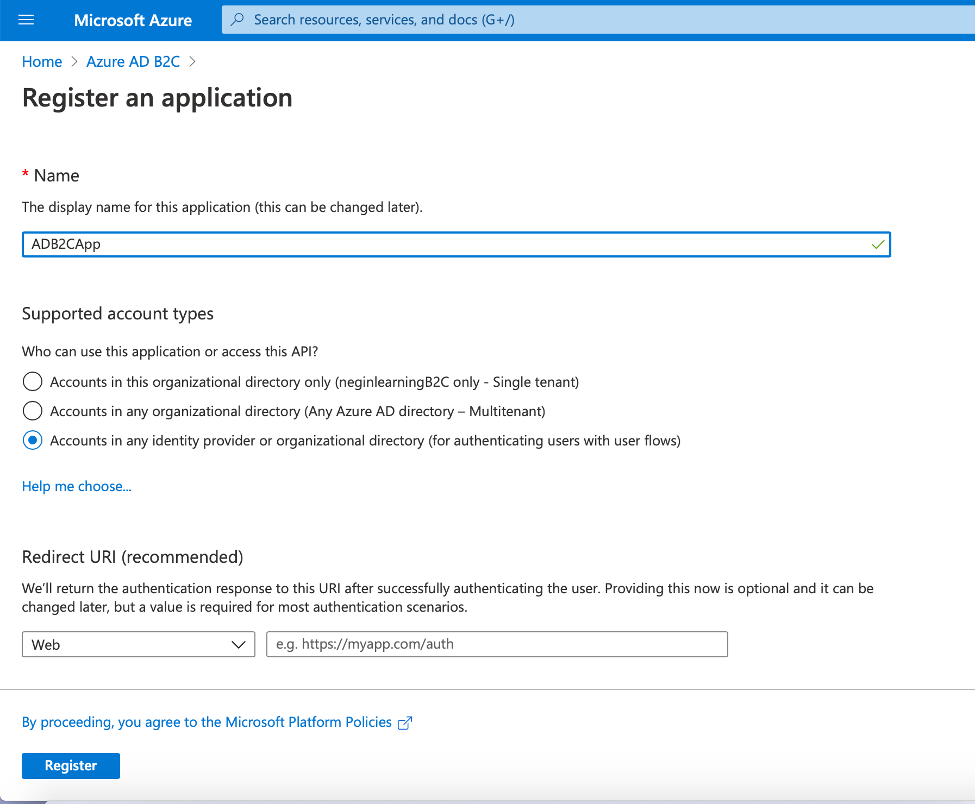
Go to ‘App registration’ in your tenant and select ‘New registration’. Provide a name for your app, and select ‘Accounts in any identity provider or organizational directory’. You can leave ‘Redirect URI’ blank for now, and click the ‘Register’ button.
4. Create User Flows:
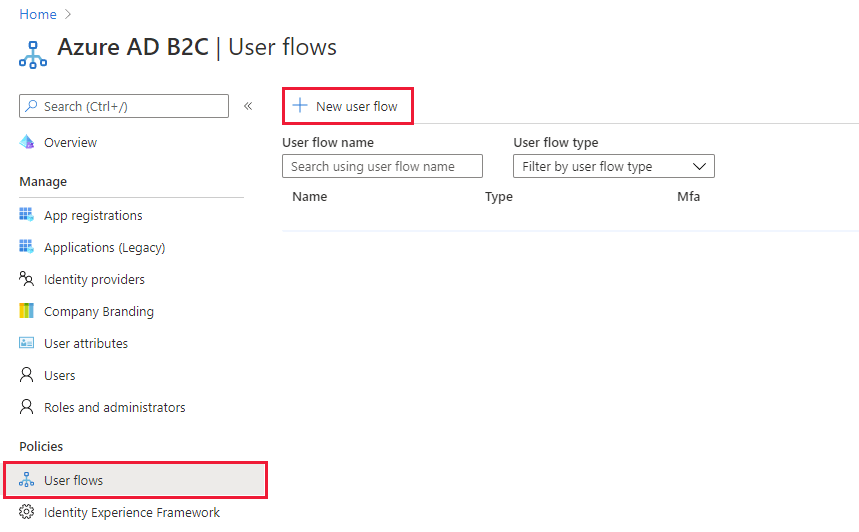
Under the ‘Policies’ section, select ‘User flows’ and then ‘New user flow’ to create sign-up, sign-in, and profile editing flows. Select ‘Recommended’ or ‘Custom’ policy type and fill in the necessary details based on your requirements.
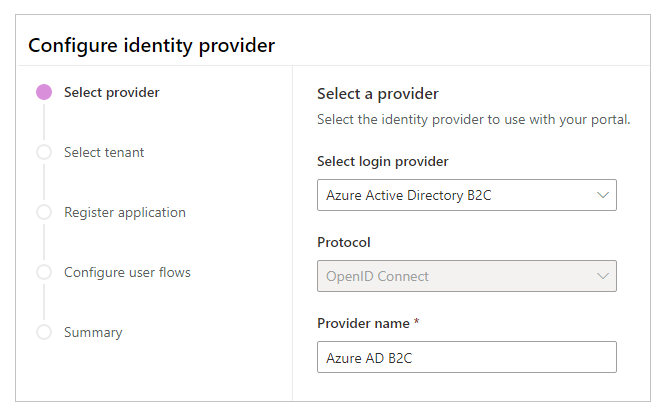
5. Configure Identity Providers:
Under ‘User flows’, select the flow you want to configure, and go to ‘Identity Providers’. Here you can customize the identity providers available for users.
6. Customize User Attributes and Claims:
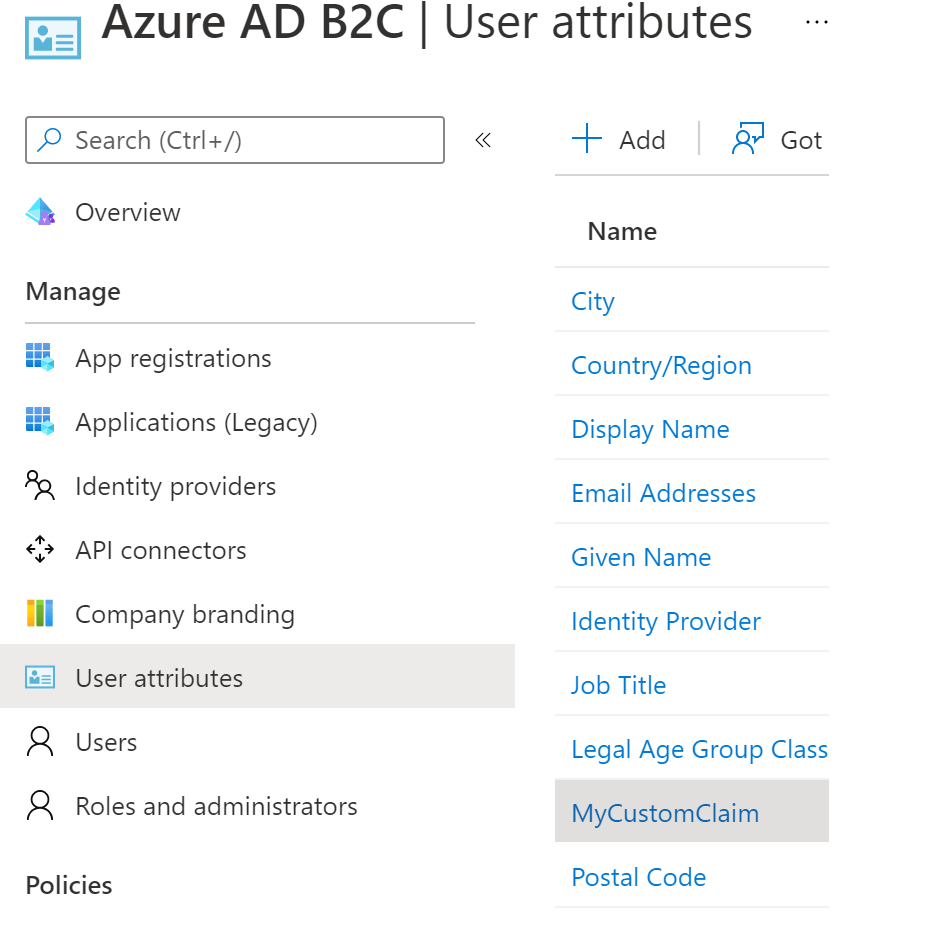
In the same flow, you can edit ‘User attributes’ and ‘Token claims’ to control what user data is collected and what is included in the token upon successful sign-in.
7. Test Your User Flow:
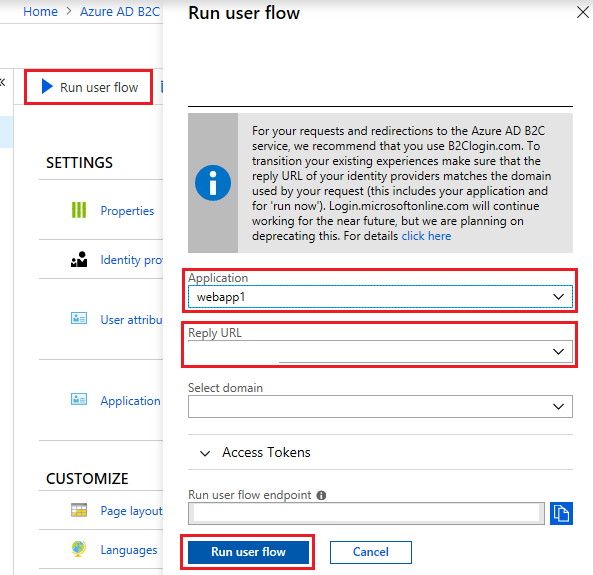
You can test your user flow by selecting the ‘Run user flow’ button at the top of your user flow settings. This opens a new window where you can walk through the experience as a user.
8. Integrate B2C with Your Application:
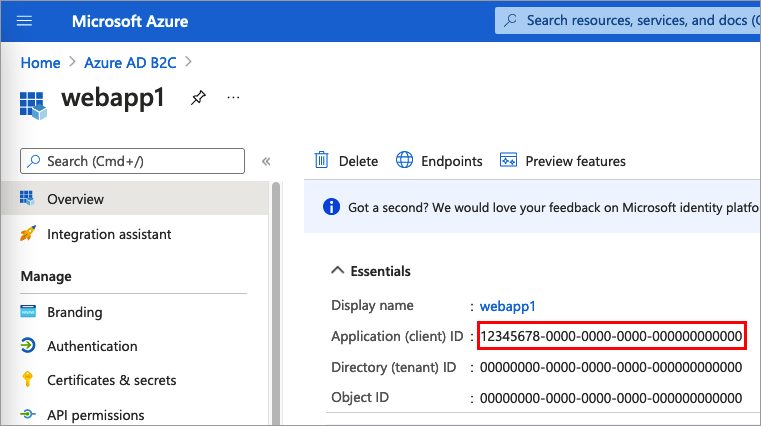
Finally, integrate B2C with your application by plugging in the relevant details (tenant ID, application (client) ID, policy name, etc.) into your application.
Remember, these are general steps and depend on your specific requirements. Configuring Azure AD B2C can get quite advanced, and it’s recommended to have a strong understanding of the platform or seek the help of an expert. Also, remember to implement proper security measures, such as secure handling of tokens and use of HTTPS.
Challenges in implementing the solution:
Implementing Azure AD B2C comes with a set of challenges:
1. Complexity: The complexity in managing configurations and settings for these services due to their comprehensive and highly technical nature.
2. User Experience: Ensuring a smooth user experience while maintaining stringent security measures in the B2C model is demanding.
3. Customization: Customization can be tough as Azure AD B2C often operate as “out of the box” solutions.
4. Security: The process of correctly configuring the various security features these services provide to safeguard user data can also be challenging.
Business Benefit:
Azure AD B2C offers several benefits for businesses. Here are some benefits of Azure AD B2C:
1. Personalized User Experience: Azure AD B2C allows businesses to create a more personalized and streamlined user experience for clients through easy sign-ups, sign-ins, and profile management options.
2. Scalability: Azure AD B2C can easily handle millions of identities, giving it the ability to grow with the business.
3. Secure Customer Data: It provides secure user authentication, thereby enhancing the security of customer data, and instilling confidence among users about the security of their information.
4. Multi-Platform Access: Azure AD B2C supports sign-ins from multiple platforms (iOS, Android, .NET, etc.), thereby improving accessibility and user experience.
Conclusion:
By leveraging the capabilities of Azure AD B2C, businesses can provide a seamless and secure user experience, integrating various social or enterprise accounts for ease of access. Azure AD B2C stands as a powerful tool for businesses to efficiently manage customer identities and access, offering scalability and customization to suit different business needs. As we further navigate towards digital transformation, embracing services like Azure AD B2C becomes fundamental in building a secure and user-friendly digital environment for consumers.
References:
https://learn.microsoft.com/en-us/azure/active-directory-b2c/
Author: Prabhat, is a seasoned IT professional, boasting over a decade of experience in the field of Operations and Infrastructure Support. His expertise spans across Azure Cloud and Windows on-prem platforms. A fervent enthusiast of Azure, he backs up his passion with a wealth of knowledge underlined by multiple Azure certifications.
 Azure4you By Lalit Rawat
Leave a comment